JSM
How to Filter Asset Custom Fields in JSM Based on Another Field
Complete guide to configuring dependent asset custom fields in Jira Service Management using AQL filtering and object relationships for better user experience.

Introduction
Managing complex asset relationships in Jira Service Management requires more than static dropdowns. Without filtering, users are forced to scroll through hundreds of irrelevant options—slowing down requests, causing errors, and creating frustration. By building dependent custom fields, you can deliver guided, context-aware forms that improve data accuracy and user experience.
Real-World Use Case: Request a Room Inspection
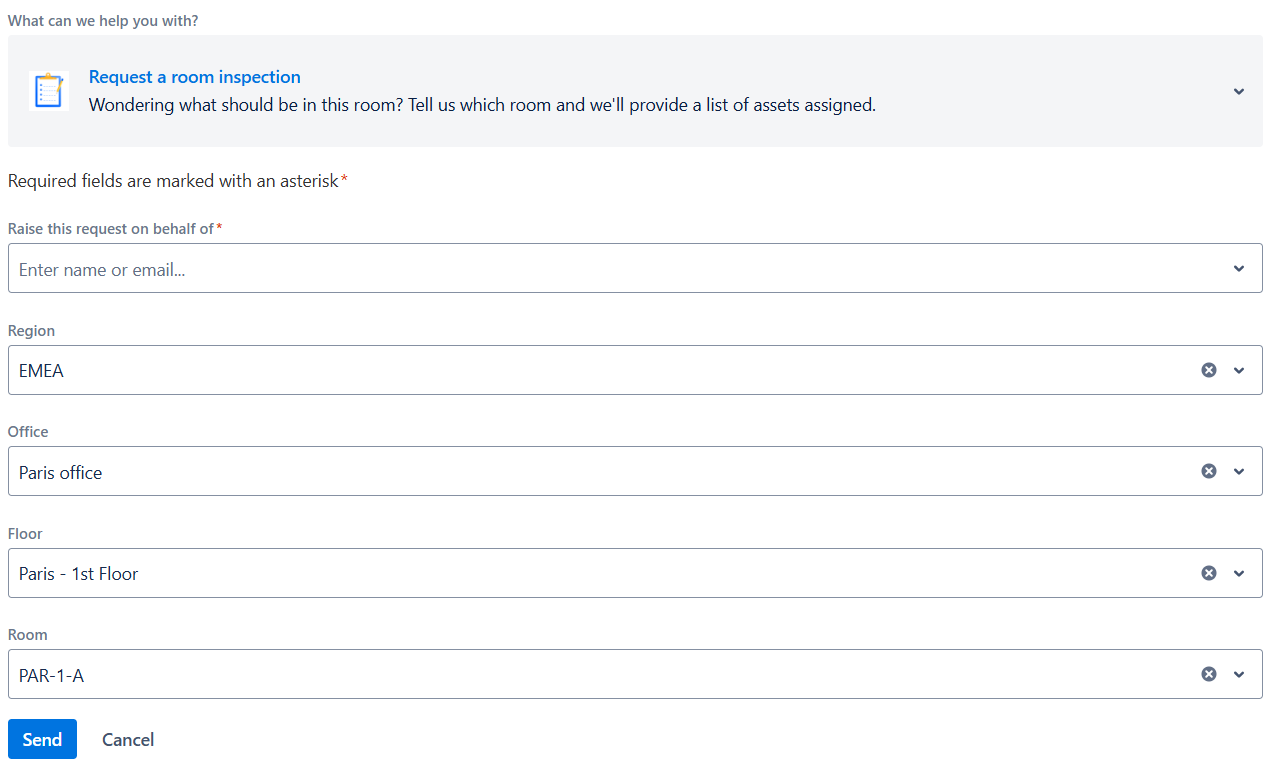
Meet Maria, a facilities coordinator managing service requests across multiple sites. Instead of searching through hundreds of rooms across regions, Maria uses a guided portal form:
- She selects Region (e.g., EMEA).
- Next, she chooses Office (e.g., Paris office).
- Then she picks Floor (e.g., Paris – 1st Floor).
- Finally, the Room field shows only rooms on that floor (e.g., PAR-1-A, PAR-1-B).
✅ Result: The right room is captured in seconds, with no ambiguity.
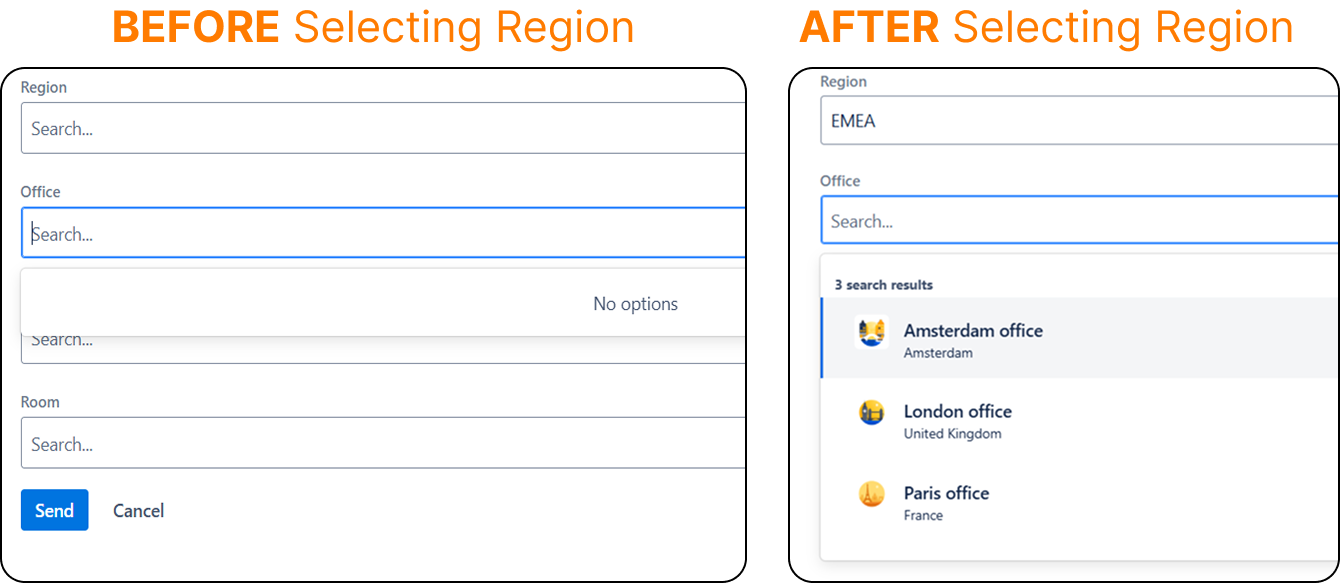
- Before selection: Only Region field is active.
- After selecting Region and Office: Floor dropdown is filtered to the correct site.
Setting Up the Foundation: Object Types and Relationships
Here’s how to configure the object schema for cascading filters: Create the Object types and objects with the necessary attributes in any schema you want.
-
Region Object Type
- Attributes:
- Name (Text, label)
- Status (Status)
- Examples: EMEA, AMER, APAC
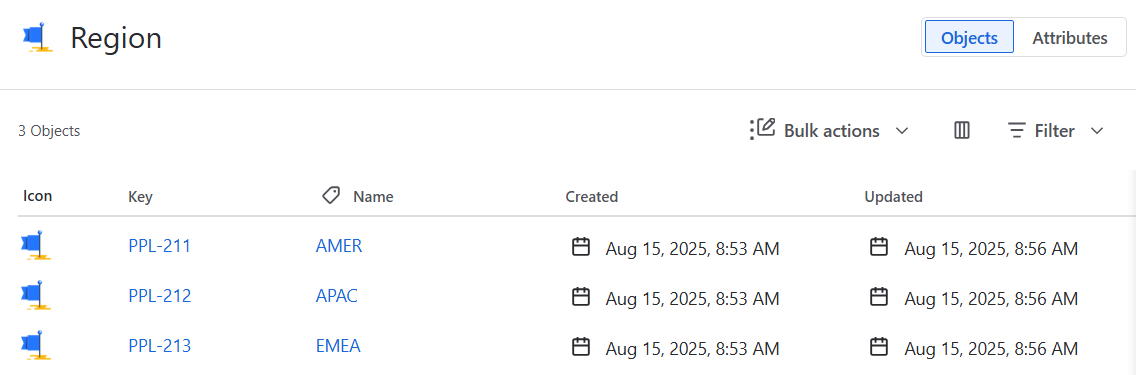
- Attributes:
-
Office Object Type
- Attributes:
- Name (Text, label)
- Region (Object Reference → Region)
- Examples:
- Paris office → EMEA
- London office → EMEA
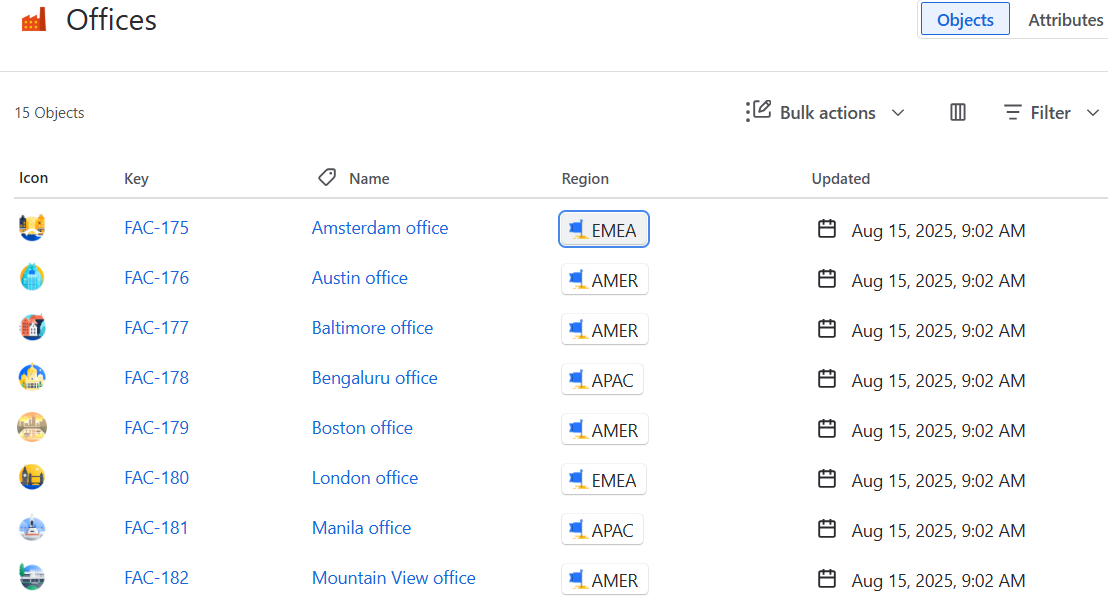
- Attributes:
-
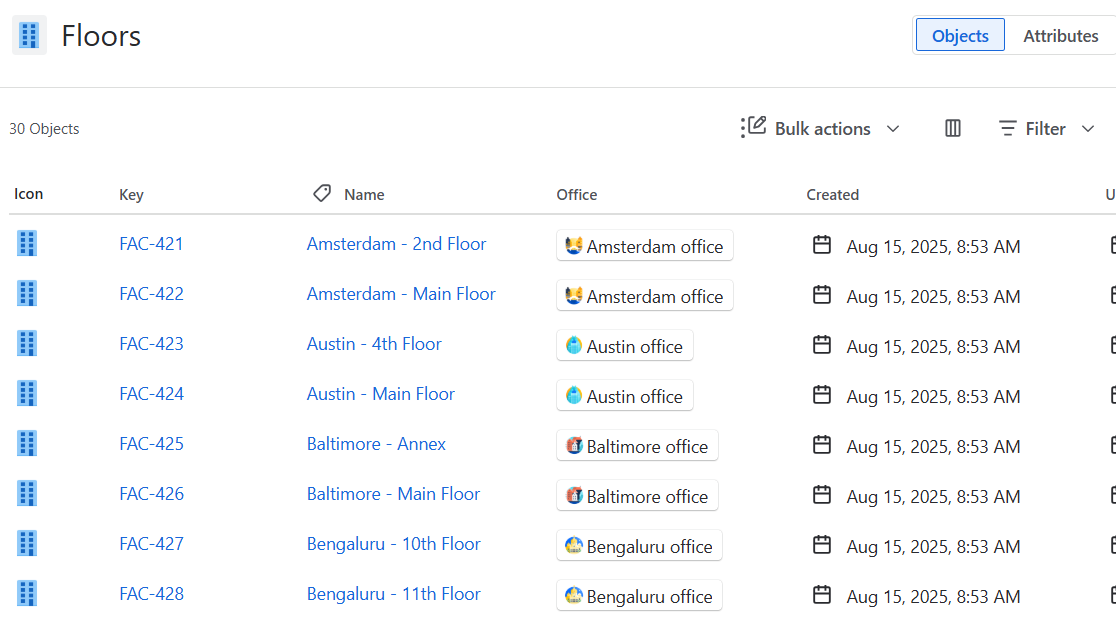
Floor Object Type
- Attributes:
- Name (Text, label)
- Office (Object Reference → Office)
- Examples:
- Paris – 1st Floor → Paris office
- Paris – 2nd Floor → Paris office
- Attributes:
-
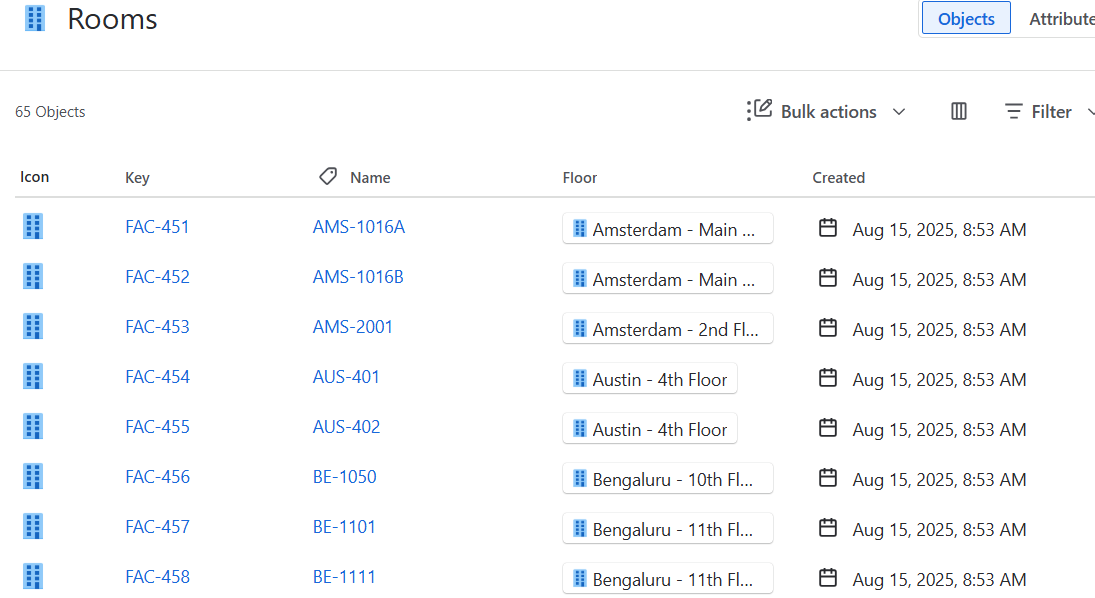
Room Object Type
- Attributes:
- Name (Text, label)
- Floor (Object Reference → Floor)
- Examples:
- PAR-1-A → Paris – 1st Floor
- PAR-1-B → Paris – 1st Floor
- Attributes:
Configuring the Custom Fields
Replace ${customfield_*} placeholders with the actual IDs in your instance.
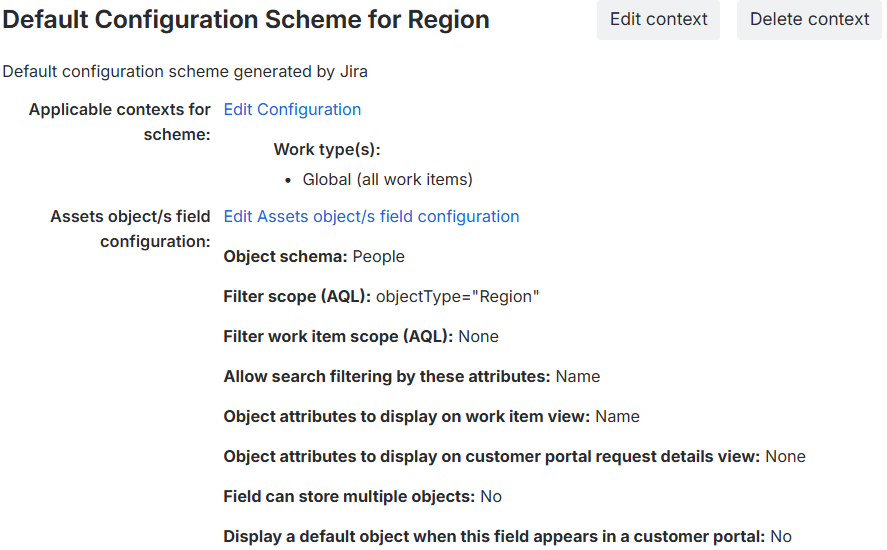
- Region Field
Filter scope (AQL):
objectType = "Region"
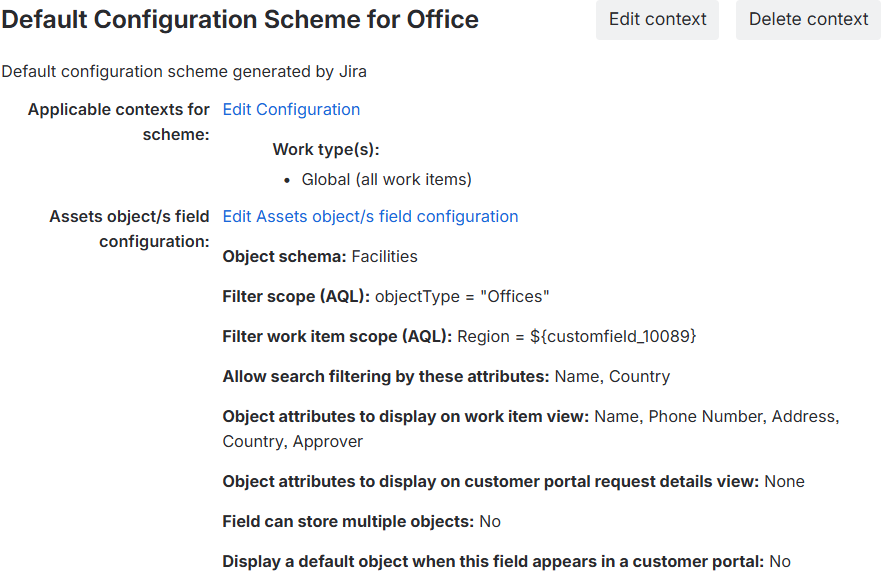
- Office Field
Filter scope (AQL):
objectType = "Offices"
Filter work item scope (AQL):
Region = ${customfield_10089}
- Floor Field
Filter scope (AQL):
objectType = "Floors"
Filter work item scope (AQL):
Office = ${customfield_10090}
- Room Field
Filter scope (AQL):
objectType = "Rooms"
Filter work item scope (AQL):
Floor = ${customfield_10092}
Testing in the Customer Portal
Add the fields in the right order in a request type and test the form in the portal
- Select Region → Office unlocks and filters correctly.
- Select Office → Floor unlocks and filters.
- Select Floor → Room unlocks and shows only relevant rooms.
Best Practices
- Use clear naming conventions for object types and attributes.
- Make the fields required to avoid confusion.
- Add a short description under the fields to explain the behaviour to the Customer.
- Document your AQL expressions and field IDs for maintenance.
Extending the Pattern
This cascading filter pattern applies far beyond facilities:
- IT Hardware: Region → Data Center → Rack → Server
- HR Onboarding: Region → Department → Team → Manager
- Procurement: Category → Vendor → Model → Asset
You can even introduce dynamic defaults (e.g., default to “Paris office” for local users).
Final Thoughts
By leveraging object references + AQL, you can transform Jira Service Management forms into guided workflows that eliminate errors and delight end users. This four-level cascading setup for a room inspection request is just the start—once you master filtering, you can apply the same approach to any process involving dependent assets.
Ready to implement dynamic asset filtering in your Jira Service Management instance? 👉 Contact me for expert consultation on Assets configuration and optimization strategies.
Subscribe for more Atlassian ideas and real-world tips and strategies.
( Atlassian Consulting )
Need tailored Atlassian guidance?
Get expert assistance with custom configurations, Jira Service Management, Cloud migrations, Assets architecture and more.
Contact me →