Jira
5 Things Every Jira Admin Should Know
If you're a Jira Admin, your role is crucial to the smooth operation of development and service teams. Managing a Jira instance can be complex, but by implementing a few key best practices, you can s…

Introduction
If you're a Jira Admin, your role is crucial to the smooth operation of development and service teams. Managing a Jira instance can be complex, but by implementing a few key best practices, you can significantly improve efficiency, performance, and user satisfaction. This post will share five essential tips that will save you hours every week and help you maintain a healthy, high-performing Jira environment.
1. Master Automation Rules
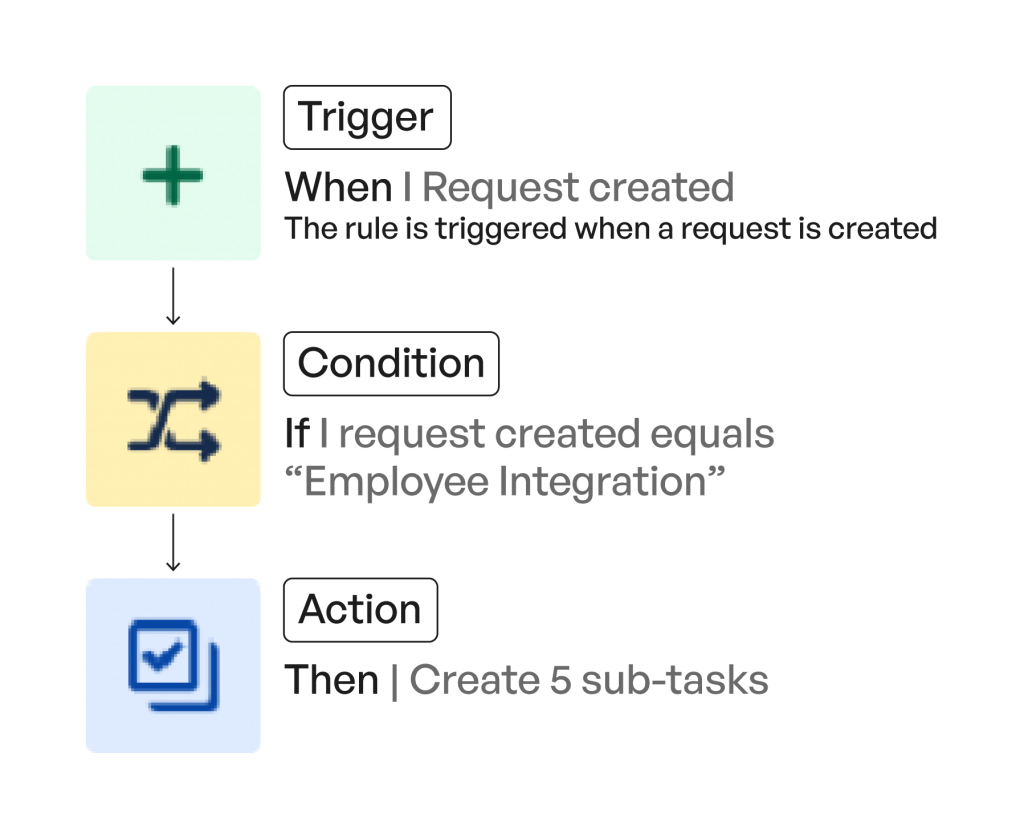 Jira's automation capabilities are incredibly powerful, yet often underutilized. Setting up automation rules can eliminate repetitive manual tasks, reduce human error, and ensure consistent workflows. For instance, you can configure rules to automatically close tickets after a certain period of inactivity, assign issues to specific teams based on criteria, or transition issues through a workflow when certain conditions are met. This not only frees up your time but also streamlines processes for your users.
Key benefits:
- Time-saving: Automate routine tasks like status transitions, assignments, and notifications.
- Consistency: Ensure workflows are followed uniformly across projects.
- Efficiency: Reduce manual overhead and speed up issue resolution.
2. Clean Up Custom Fields
 One of the most common culprits for Jira performance degradation is an excessive number of custom fields, especially unused ones. Each custom field adds overhead to your Jira instance, impacting indexing, search performance, and database size. Regularly auditing and cleaning up custom fields is vital for maintaining a lean and efficient Jira environment. Identify fields that are no longer in use, are redundant, or were created for temporary purposes and remove them.
Key benefits:
- Improved Performance: Faster issue loading, search, and overall system responsiveness.
- Reduced Complexity: A cleaner interface for users and easier administration.
- Database Optimization: Smaller database size, leading to quicker backups and restores.
3. Monitor SLA Breaches
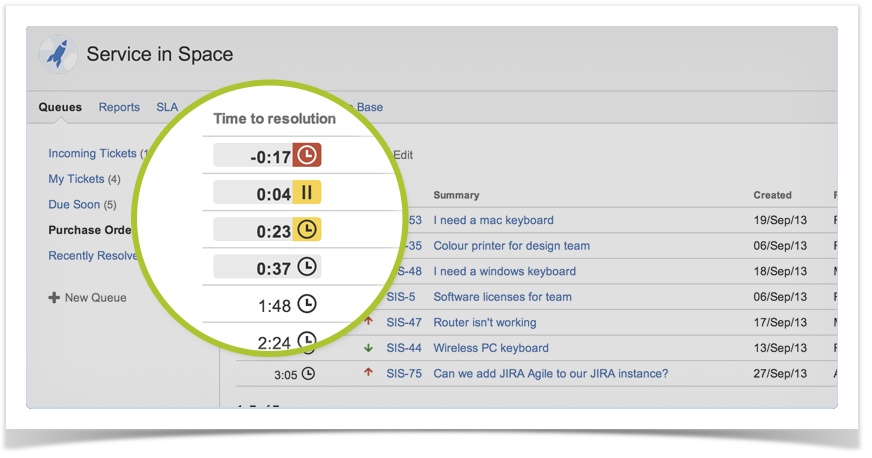 For Jira Service Management (JSM) instances, Service Level Agreements (SLAs) are critical for ensuring timely responses and resolutions. As a Jira Admin, it's essential to actively monitor SLA breaches to identify bottlenecks, improve team performance, and ensure customer satisfaction. Utilize Jira Service Management reports and dashboards to track SLA performance, identify recurring issues, and proactively address potential breaches. This visibility allows you to optimize team workloads and improve service delivery.
Key benefits:
- Enhanced Customer Satisfaction: Meet and exceed service commitments.
- Performance Insights: Identify areas where teams are struggling to meet targets.
- Proactive Problem Solving: Address issues before they impact service quality.
4. Implement Robust Permission Schemes
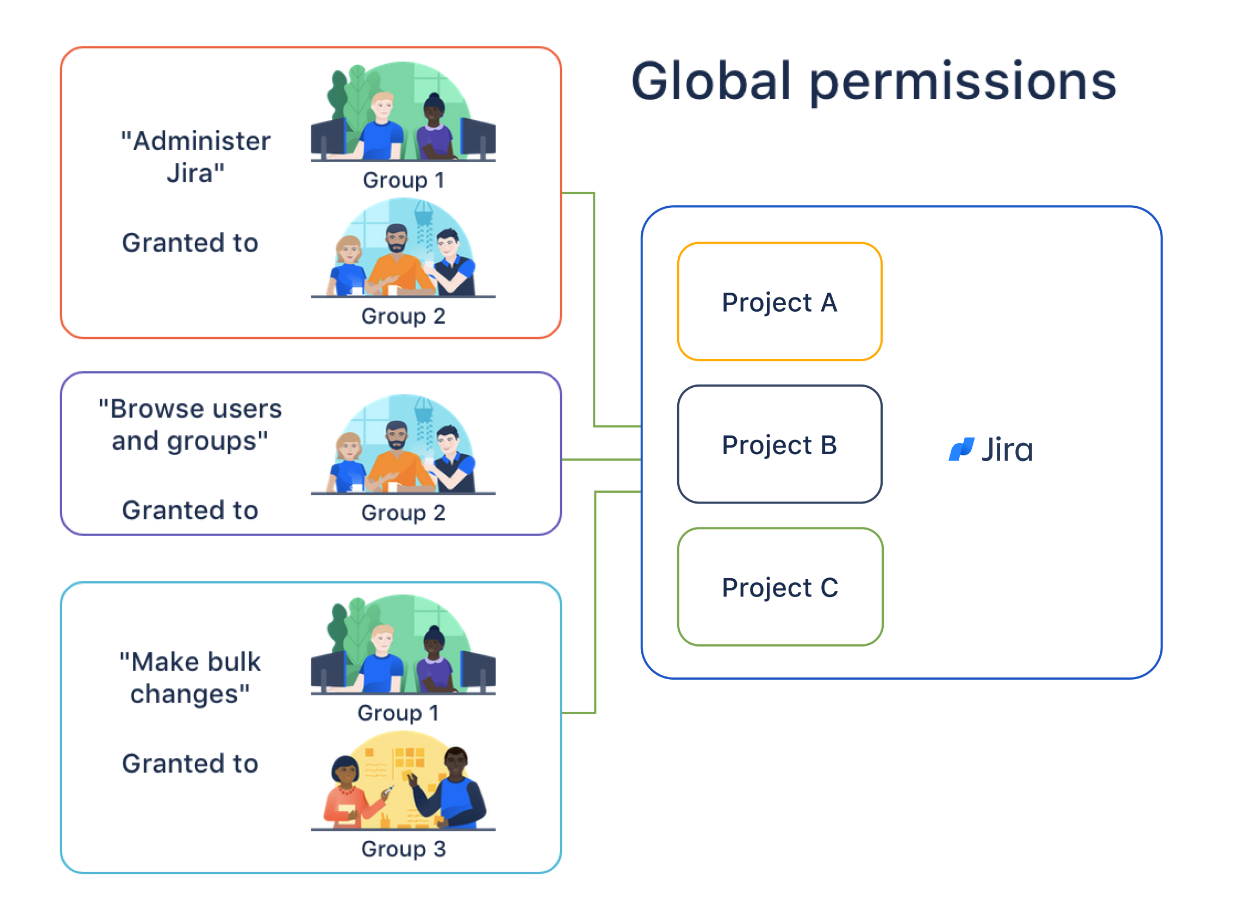 Managing user permissions effectively is paramount for security and data integrity in Jira. Overly permissive schemes can expose sensitive information, while overly restrictive ones can hinder collaboration. Implement robust permission schemes by granting users only the necessary access for their roles. Utilize project roles, groups, and issue security schemes to control who can view, edit, or transition issues. Regularly audit permissions to ensure they align with your organization's security policies and operational needs.
Key benefits:
- Enhanced Security: Protect sensitive data and prevent unauthorized access.
- Improved Data Integrity: Reduce the risk of accidental modifications or deletions.
- Streamlined Collaboration: Ensure users have appropriate access without unnecessary privileges.
5. Establish Clear Naming Conventions and Standardization
As your Jira instance grows, consistent naming conventions for projects, issue types, workflows, and custom fields become increasingly important. Standardization reduces confusion, improves usability, and simplifies administration. Develop and enforce clear guidelines for naming conventions to ensure consistency across your Jira environment. This practice makes it easier for users to navigate, for admins to manage, and for new team members to onboard quickly.
Key benefits:
- Improved Usability: Easier for users to find and understand information.
- Simplified Administration: Quicker identification and management of configurations.
- Better Scalability: A well-organized Jira instance is easier to scale and maintain long-term.
Conclusion
Being a Jira Admin is a demanding role, but by focusing on these five key areas, you can significantly enhance your efficiency and the overall health of your Jira instance. Mastering automation, cleaning up custom fields, monitoring SLAs, implementing robust permission schemes, and establishing clear naming conventions will not only save you time but also contribute to a more secure, performant, and user-friendly Jira environment. Implement these tips, and you'll be well on your way to becoming a Jira administration expert.
Need help implementing these? Contact me here
( Atlassian Consulting )
Need tailored Atlassian guidance?
Get expert assistance with custom configurations, Jira Service Management, Cloud migrations, Assets architecture and more.
Contact me →